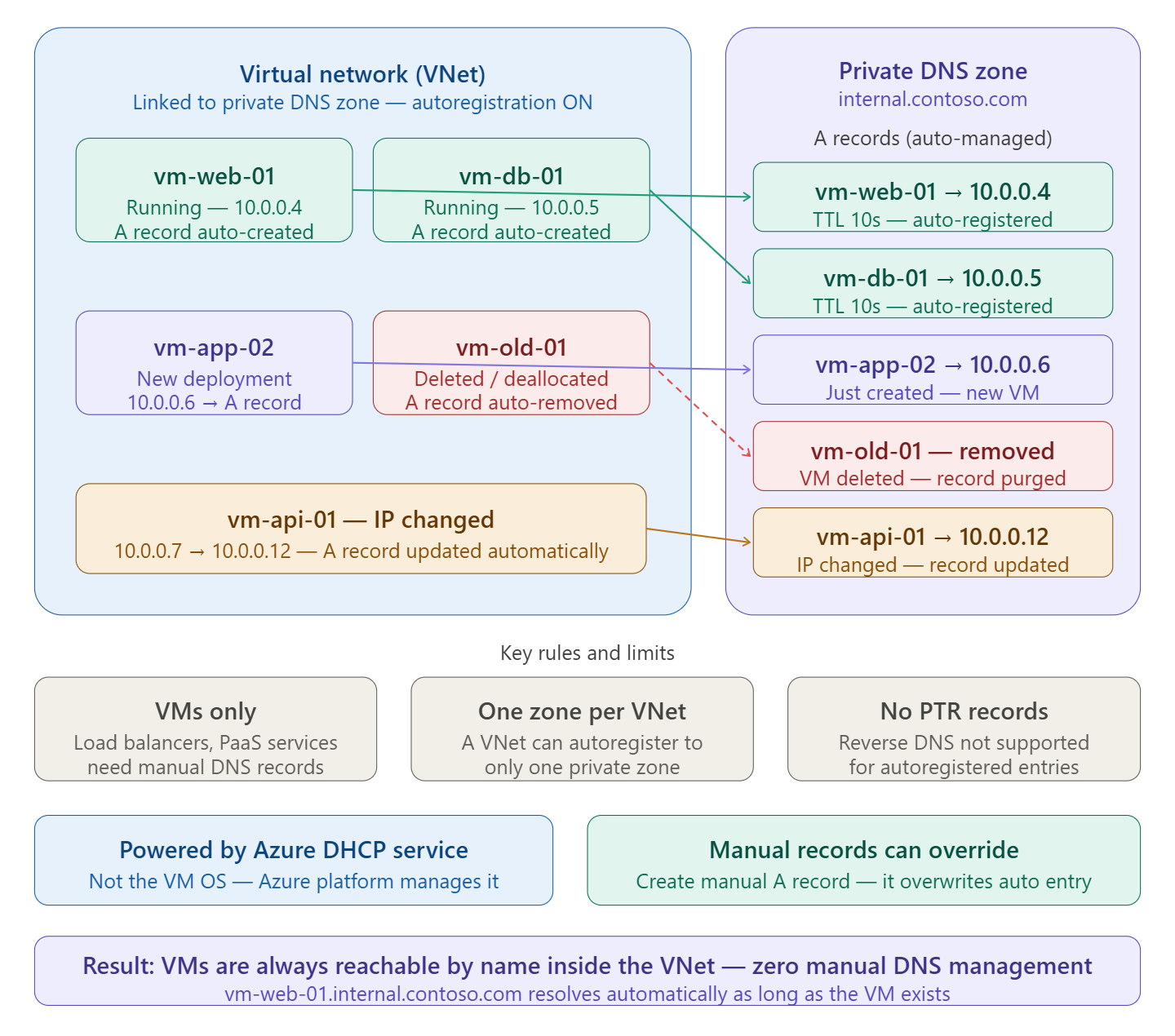
Here’s what it means in plain terms:
The short version
When you link a Virtual Network to a Private DNS Zone with autoregistration enabled, Azure automatically maintains DNS records for every VM in that VNet. You don’t touch the DNS zone manually — Azure handles it for you.
What happens at each VM lifecycle event
When you link a virtual network with a private DNS zone with this setting enabled, a DNS record gets created for each virtual machine deployed in the virtual network. For each virtual machine, an address (A) record is created.
If autoregistration is enabled, Azure Private DNS updates DNS records whenever a virtual machine inside the linked virtual network is created, changes its IP address, or is deleted.
So the three automatic actions are:
- VM created → A record added (
vm-web-01 → 10.0.0.4) - VM IP changes → A record updated automatically
- VM deleted or deallocated → A record removed from the zone
What powers it under the hood
The private zone’s records are populated by the Azure DHCP service — client registration messages are ignored. This means it’s the Azure platform doing the work, not the VM’s operating system. If you configure a static IP on the VM without using Azure’s DHCP, changes to the hostname or IP won’t be reflected in the zone.
Important limits to know
A specific virtual network can be linked to only one private DNS zone when automatic registration is enabled. You can, however, link multiple virtual networks to a single DNS zone.
Autoregistration works only for virtual machines. For all other resources like internal load balancers, you can create DNS records manually in the private DNS zone linked to the virtual network.
Also, autoregistration doesn’t support reverse DNS pointer (PTR) records.
The practical benefit
In a classic setup without autoregistration, every time a VM is deployed or its IP changes, someone has to go manually update the DNS zone. With autoregistration on, your VMs are always reachable by a friendly name like vm-web-01.internal.contoso.com from anywhere inside the linked VNet — with zero manual effort, and no stale records left behind after deletions.
 Infra Cloud Solutions