Here’s the full breakdown:
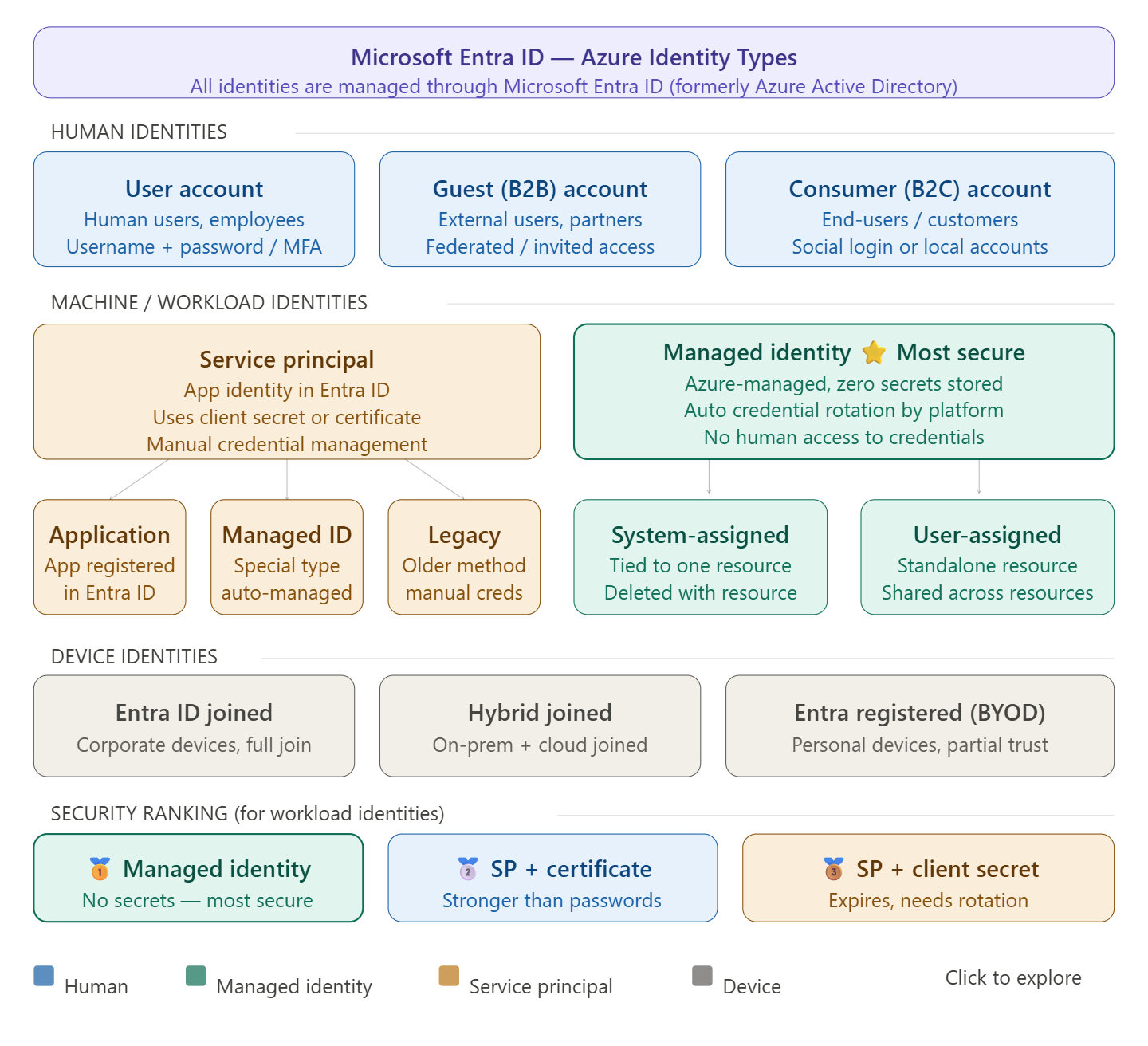
🏆 Most secure identity: Managed Identity
What makes managed identities uniquely secure is that no one knows the credentials — they are automatically created by Azure, including the credentials themselves. This eliminates the biggest risk in cloud security: leaked or hardcoded secrets. Managed identity replaces secrets such as access keys or passwords, and can also replace certificates or other forms of authentication for service-to-service dependencies.
How many identity types are there in Azure?
At a high level, there are two types of identities: human and machine/non-human identities. Machine/non-human identities consist of device and workload identities. In Microsoft Entra, workload identities are applications, service principals, and managed identities.
Breaking it down further, Azure has 4 main categories with several sub-types:
1. Human identities
- User accounts (employees, admins)
- Guest/B2B accounts (external partners)
- Consumer/B2C accounts (end-users via social login)
2. Workload/machine identities
- Managed Identity — most secure; no secrets to manage
- System-assigned: tied to the lifecycle of an Azure resource; when the resource is deleted, Azure automatically deletes the service principal.
- User-assigned: a standalone Azure resource that can be assigned to one or more Azure resources — the recommended type for Microsoft services.
- Service Principal — three main types exist: Application service principal, Managed identity service principal, and Legacy service principal.
3. Device identities
- Entra ID joined (corporate devices)
- Hybrid joined (on-prem + cloud)
- Entra registered / BYOD (personal devices)
Why prefer Managed Identity over Service Principal?
Microsoft Entra tokens expire every hour, reducing exposure risk compared to Personal Access Tokens which can last up to one year. Managed identities handle credential rotation automatically, and there is no need to store long-lived credentials in code or configuration. Service principals, by contrast, require you to manually rotate client secrets or certificates — a 2025 report highlighted that 23.77 million secrets were leaked on GitHub in 2024 alone, underscoring the risks of hardcoded credentials.
The rule of thumb: use Managed Identity whenever your workload runs inside Azure. Use a Service Principal only when you need to authenticate from outside Azure (CI/CD pipelines, on-premises systems, multi-cloud).
 Infra Cloud Solutions