Author: techhadoop
Alluxio
Open Source Memory Speed Virtual Distributed Storage
Alluxio, enables any application to interact with any data from any storage system at memory speed
-Storage Unification and Abstraction
-Remote Data Acceleration
Audit Your AWS EC2 instances
#!/usr/bin/python
# ovi
import boto3 # import boto3 library
import datetime
#from termcolor import colored
#print “———————”
print “Audit report date:”
today = datetime.date.today()
print today
#print ‘Audit report’
ec2 = boto3.resource(‘ec2′, region_name=’ca-central-1’) # call ec2 resource to perform further actions
instances = ec2.instances.all() # get all instances from above region
for instance in instances:
print(“Instance id – “, instance.id)
print(“Instance public IP – “, instance.public_ip_address)
print(“Instance private IP “, instance.private_ip_address)
print(“Instance launch time “, instance.launch_time)
print(“Instance root device name “, instance.root_device_name)
print(“Instances tags” ,instance.tags)
print(“—————————————————“)
Prometheus
Prometheus is a systems and service monitoring system. It collects metrics
from configured targets at given intervals, evaluates rule expressions,
displays the results, and can trigger alerts if some condition is observed
to be true.
Redis
Redis is an open source, in-memory data structure store, used as a database, cache and message broker. It supports data structures such as strings, hashes, lists, sets, sorted sets with range queries, bitmaps, hyperloglogs and geospatial indexes with radius queries. Redis has built-in replication, Lua scripting, LRU eviction, transactions and different levels of on-disk persistence, and provides high availability via Redis Sentinel and automatic partitioning with Redis Cluster
reference
LXC/LXD – LinuX Containers
Linux Container
Apache – Hue
Hue is a browser-based environment that enables you to interact with a Hadoop cluster. Hue includes several easy to use applications that help you work with Hadoop MapReduce jobs, Hive queries, Hadoop files and user accounts. The Hue applications run in a Web browser and require no client installation.
Hue is a Web UI for Hadoop.
Hue supports the following features:
- Beeswax to execute Hive queries
- FileBrowser to access HDFS
- HCatalog application for Hive metadata and table management
- Pig application to execute Pig queries
- Job Designer to create MapReduce/Streaming/Java jobs
- Oozie application to submit and schedule workflows
- JobBrowser for view MapReduce jobs
Web access console
ovi
I…09
AWS Schema Conversion Tool
AWS Schema Conversion Tool makes heterogeneous database migrations easy by automatically converting the source database schema and a majority of the custom code to a format compatible with the target database. The custom code that the tool converts includes views, stored procedures, and functions
AWS and grafana dashboards
Grafana
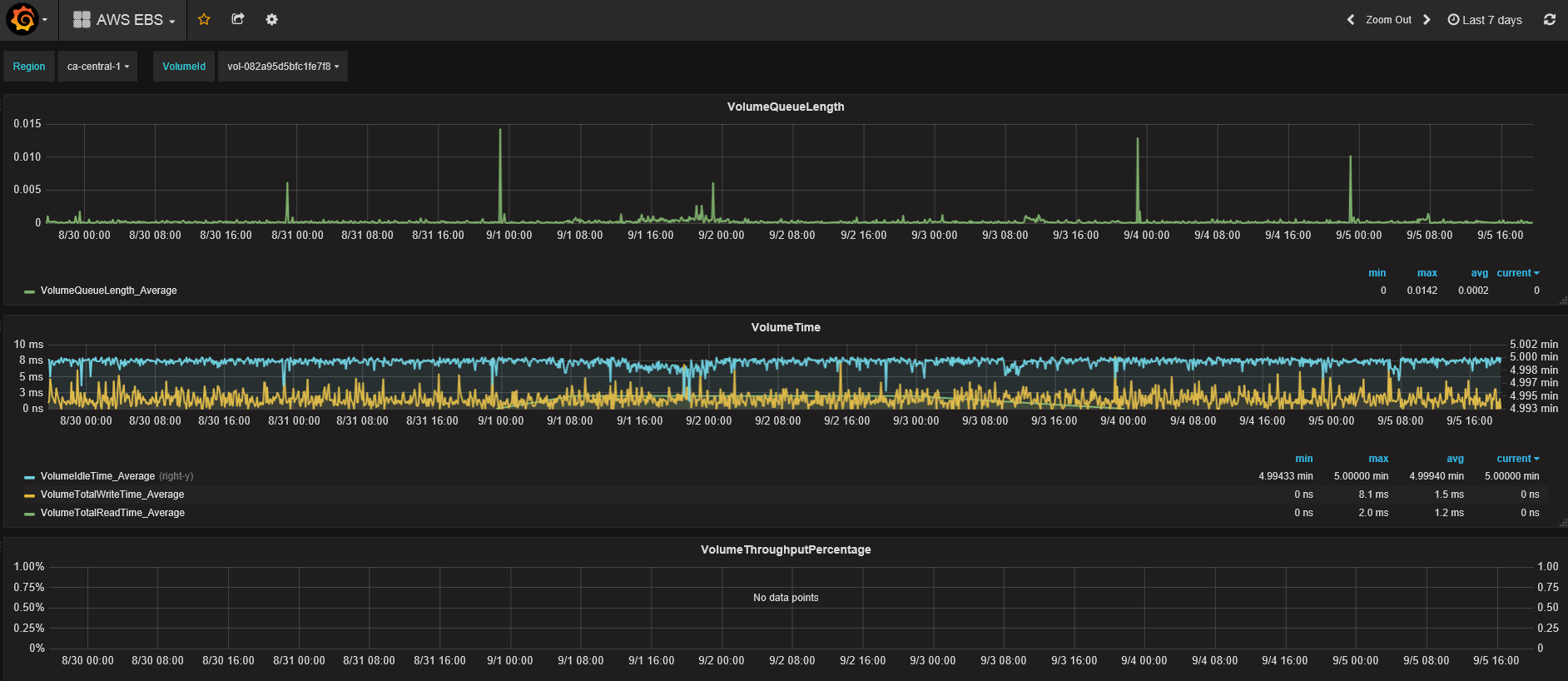
AWS – EBS dasboard
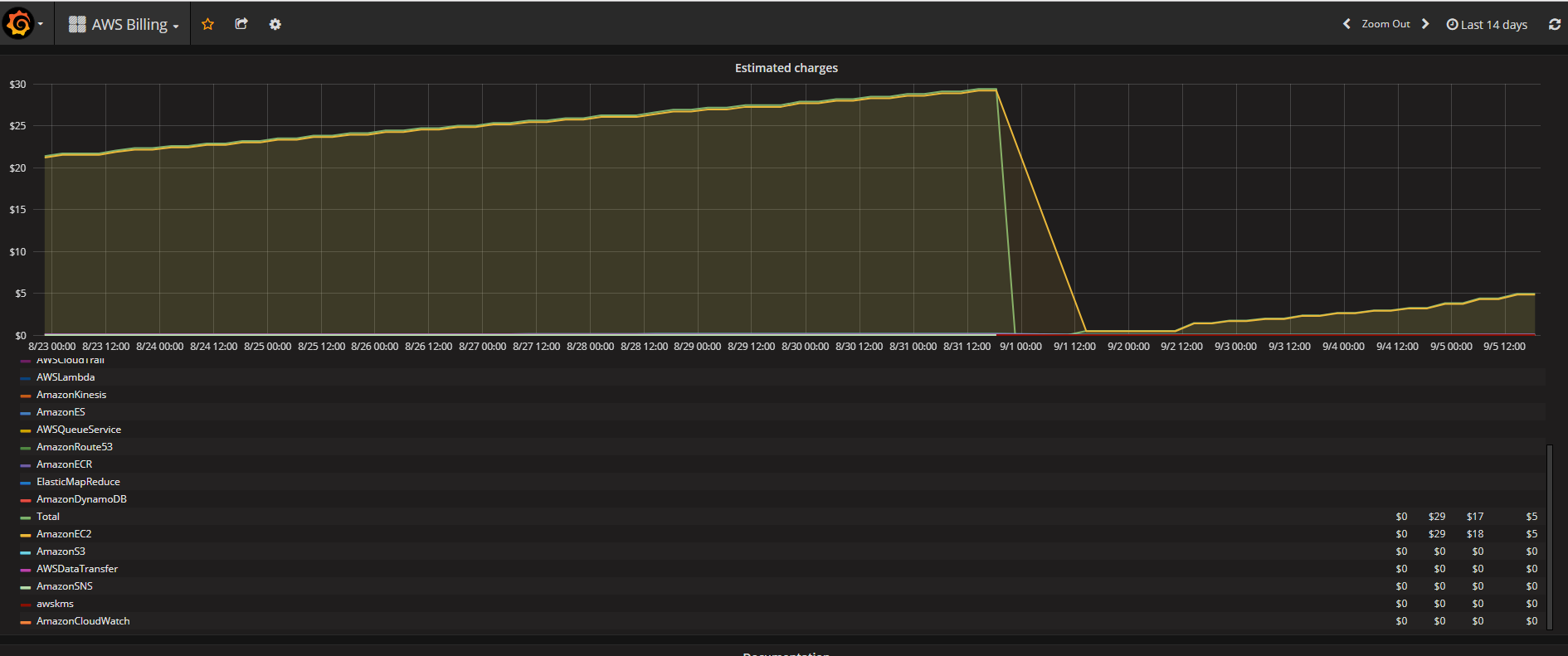
AWS billing
Visualize estimated AWS charges per AWS resource (EC2, S3, …)
Apache Kafka
Apache Kafka is publish-subscribe messaging rethought as a distributed commit log.
 Infra Cloud Solutions